

Traveling to China requires a different set of digital tools than what you might be used to. Many Western apps like Google Maps, Facebook, Instagram, and WhatsApp are blocked by the Great Firewall, so you need to prepare your phone with local alternatives before you arrive. The key is to download and set up these apps while you still have access to your home app store, because China’s app ecosystem operates on different platforms and accounts. After helping hundreds of travelers navigate this process, I’ve identified the absolute must-have apps that will make your trip smooth, safe, and enjoyable. Let me walk you through exactly what you need to download and why.
Best map app for China travel
Google Maps is completely useless inside China because it cannot update real-time data and its satellite imagery is outdated. The two most reliable options are Baidu Maps and Amap (Gaode), but both are entirely in Chinese. For English-speaking travelers, the best solution is Apple Maps if you use an iPhone – it works surprisingly well in China with English place names and turn-by-turn navigation. Another great alternative is Maps.me, which allows you to download offline maps of entire cities before your trip. I recommend downloading at least two map apps and learning how to input destinations using Chinese pinyin or coordinates. Without a working map app, finding restaurants, attractions, and even your hotel becomes a frustrating guessing game.

How to download China VPN before arrival
This is the single most important preparation you can make. You cannot download a VPN after arriving in China because VPN provider websites and app stores are blocked. You must download and subscribe to a reliable VPN service while still in your home country. Top choices among frequent China travelers include Let’s VPN, Astrill, and Veee. Once downloaded, test that it connects properly before you depart. Remember that free VPNs rarely work in China – pay for a trusted service. Also download a backup VPN in case your primary one experiences downtime. After you land,activate your VPN before connecting to any public WiFi. Without a working VPN, you will lose access to Gmail, Google Drive, WhatsApp, and all social media platforms you rely on for communication.
Essential payment app WeChat and Alipay
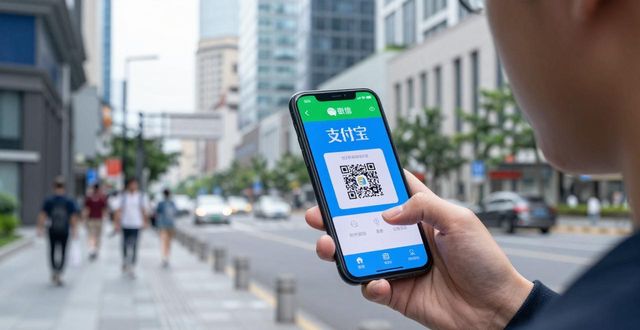
Cash is increasingly rare in Chinese cities, with most transactions happening through QR code payments. Both WeChat Pay and Alipay now allow international travelers to link foreign credit cards. Download both apps before your trip, go through the identity verification process, and add your card. For WeChat, you’ll need a friend to help verify your account initially, or you can use a service like “WeChat Out” to get verified. Alipay is generally easier for foreigners – just download the app, choose “Tour Pass” or “International Card,” and follow the prompts. Once set up, you can pay for everything from street food to high-speed train tickets by scanning QR codes. I’ve seen travelers stranded because they couldn’t pay for a taxi or a meal – don’t let that be you.
Best communication and translation tools
WeChat is more than a messaging app – it’s the operating system of daily life in China. Download WeChat and set up your account before arrival. You’ll use it to message hotels, book restaurants, call taxis through mini-programs, and even order coffee. For translation, Pleco is the gold standard – it works offline and can translate Chinese text through your phone’s camera. Another excellent choice is Microsoft Translator, which has a better conversation mode for speaking with locals. Also download Didi, the Chinese equivalent of Uber, which has an English interface. You can use Didi through WeChat’s mini-programs, but the standalone app is more reliable. Prepare these tools ahead of time so you’re not scrambling to figure out menus and directions while jet-lagged.
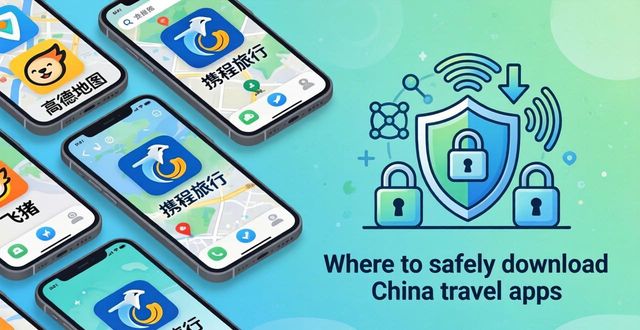
Where to safely download China travel apps
Never download apps from random websites or third-party stores – you risk installing malware. For iPhones, use the official Apple App Store with your home country Apple ID. For Android, you have two options: if your phone has Google Play, download everything before entering China; if you need to download after arrival, you can use the Huawei AppGallery or directly from app developers’ official websites using a VPN. Many travelers also download the “Aptoide” alternative app store as a backup. The safest rule is to assume that after you land, you won’t be able to download new apps easily. Create a checklist two weeks before your trip and tick off each app as you install and test it.
What’s the one app you found absolutely essential during your China travels that I didn’t mention here? Share your experience in the comments – your recommendation could help the next traveler avoid a major headache. And if this guide saved you time, hit that like button and share it with someone planning a China trip right now.